01
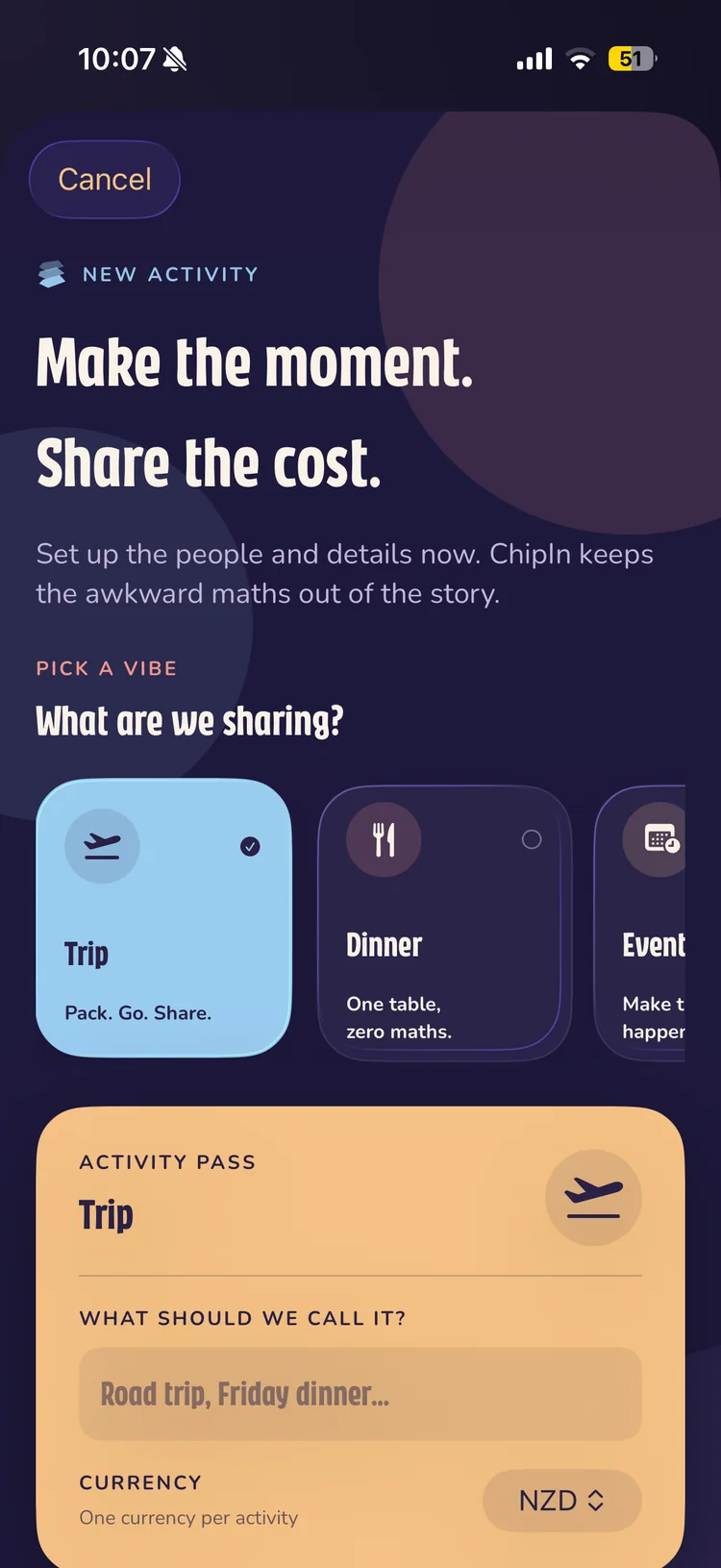
Set the scene
A shared space for every plan.
Pick the kind of moment, name it, set the currency and bring everyone in before the first bill arrives.
 ChipInby PixelLabs
Shared expenses, minus the awkward maths
ChipIn keeps trips, dinners and group plans focused on the fun—while every expense, split and balance stays beautifully organised.
Free to download. Easy to split.

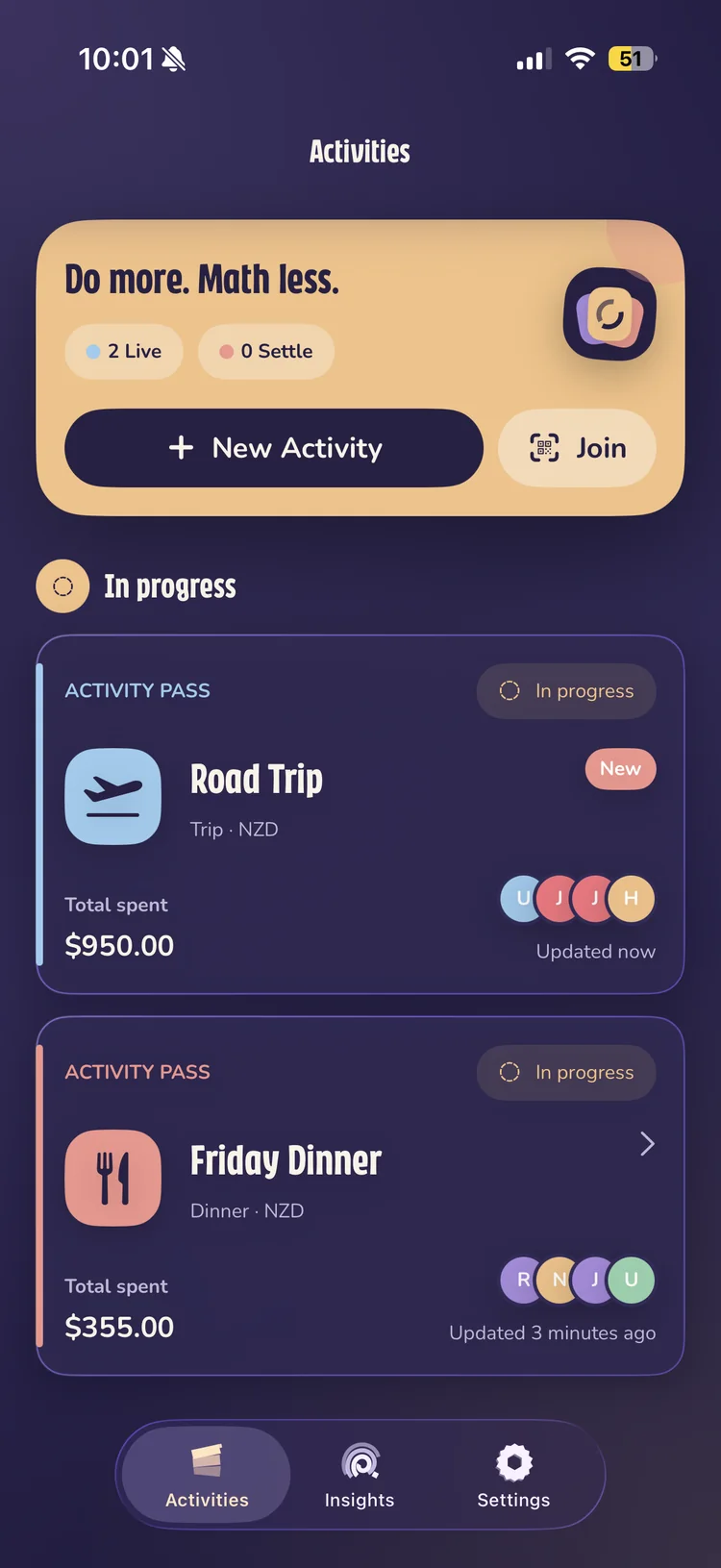
Inside ChipIn
From the first plan to the final payment, every screen keeps the next step obvious and the numbers easy to trust.
Set the scene
Pick the kind of moment, name it, set the currency and bring everyone in before the first bill arrives.
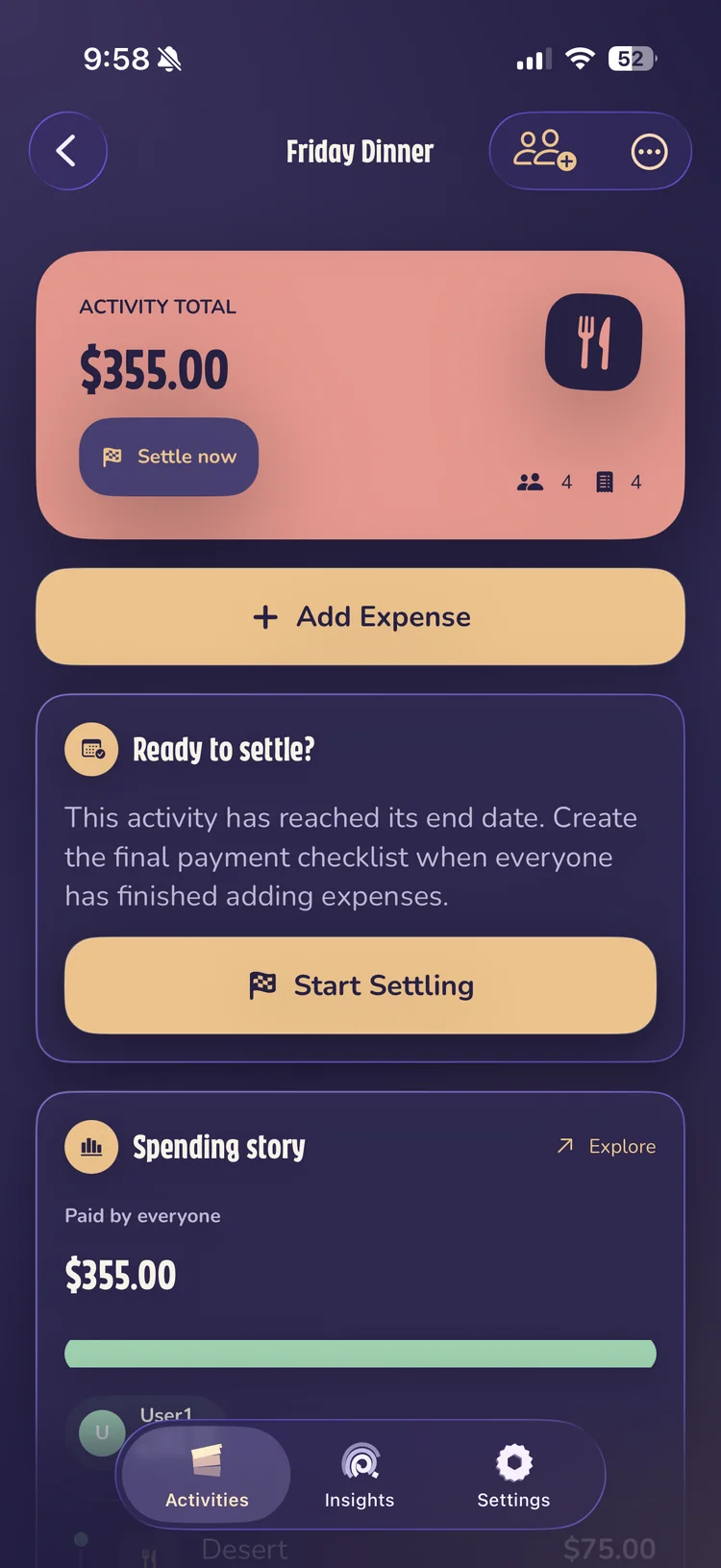
Keep it current
See the activity total, add expenses in seconds and know who has contributed without reaching for a spreadsheet.
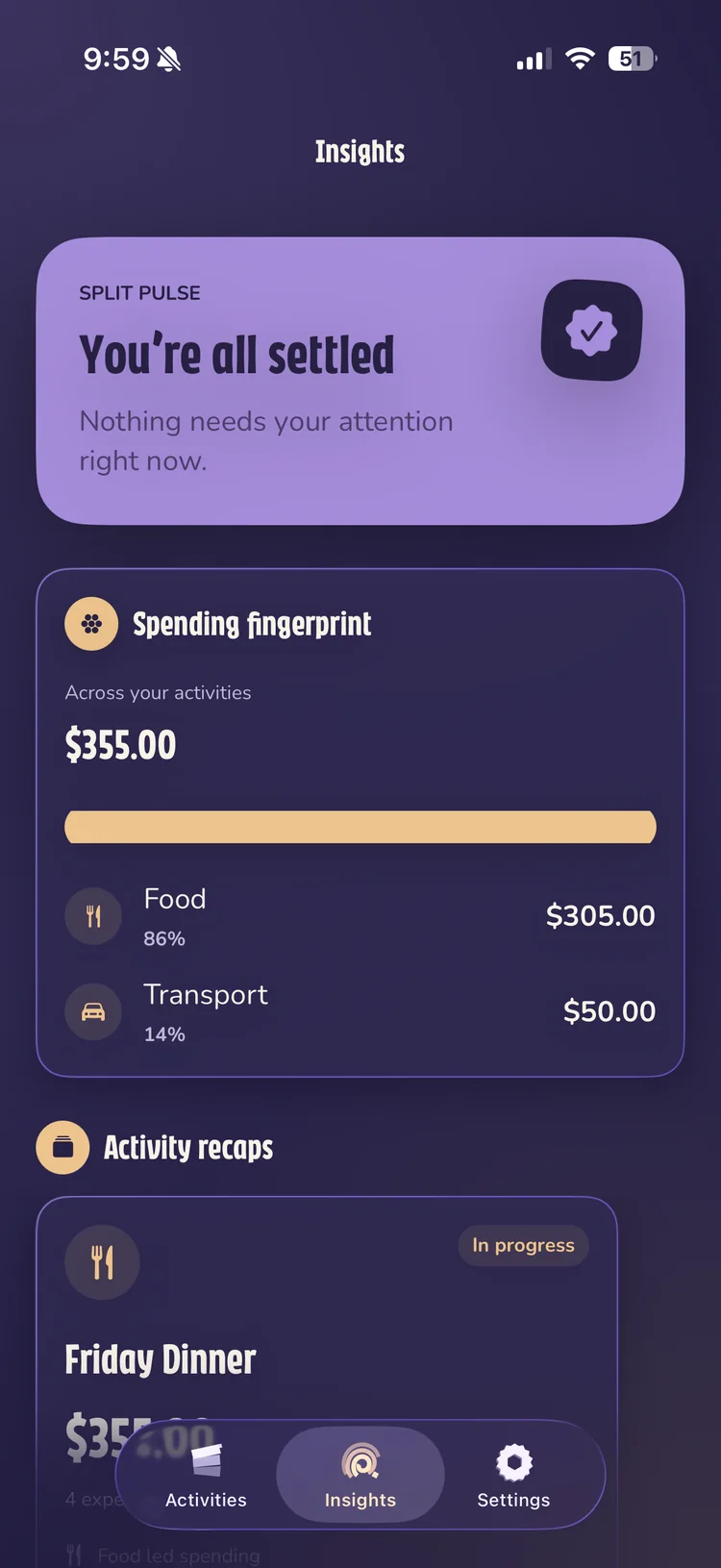
See the pattern
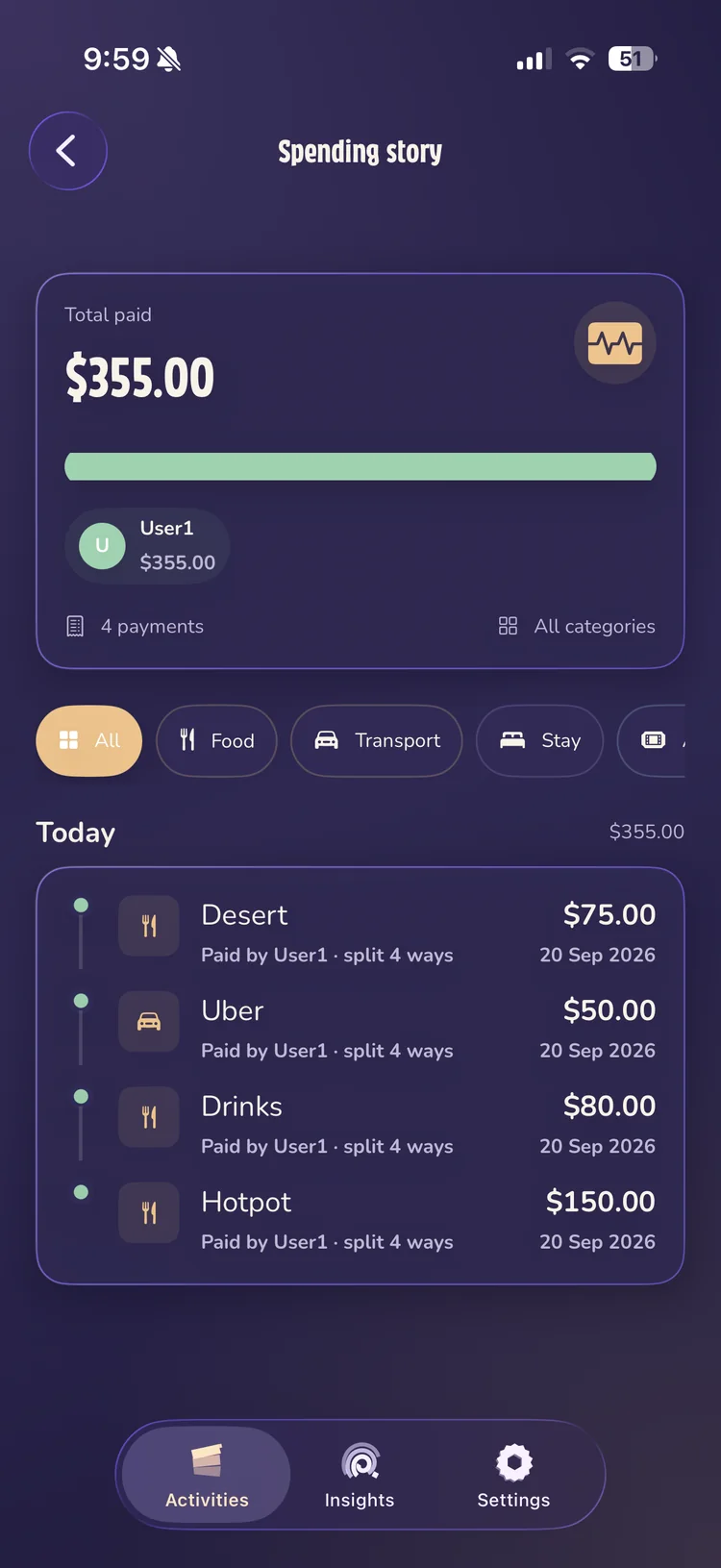
Understand where the money went across activities, then open the spending story when you want the detail.
The spending story
Filter by category, see who paid and follow every expense in order. ChipIn makes the history readable without turning it into homework.
Made for real groups
ChipIn syncs shared activity data so the group can stay up to date across devices. Invitation codes control who joins, and payments happen outside the app—you stay in control of the money.
A shared space for your group.
Invite your people with a code.
Settle up your way, outside the app.
A few useful answers
Create an activity for your trip, dinner, or group plan, invite the people involved, and add expenses as they happen. ChipIn tracks contributions and balances, then gives the group a clear settlement plan.
No. ChipIn tracks shared expenses and helps you work out who owes what. It does not hold or transfer money. Settle payments outside the app using the method your group prefers.
Yes. Choose a currency when you create an activity so your group tracks its expenses and balances in the same currency.
Yes. ChipIn is available for iPhone on the App Store. Visit the App Store listing for current device compatibility and availability.
Share the activity invitation code with your group. Friends use the code to join, and shared activity data syncs across devices so everyone can stay up to date.
ChipIn for iPhone
Free to download. Easy to split.
Download on the App Store